Error: Invalid Frontmatter

Path: /home/nyrjjbc/labo/user/pages/15.atelier/794.installation_du_systeme_de_refroidissement_cpu_cooling_fan_de_geeekpi/chapter.md

Failed to read /home/nyrjjbc/labo/user/pages/15.atelier/794.installation_du_systeme_de_refroidissement_cpu_cooling_fan_de_geeekpi/chapter.md: Unexpected characters near "CPU Cooling Fan" de GeeekPi"" at line 1 (near "title: "Installation du système de refroidissement "CPU Cooling Fan" de GeeekPi"").

---
title: "Installation du système de refroidissement "CPU Cooling Fan" de GeeekPi"
date: '01-05-2021 00:05'
publish_date: '16-11-2020 20:08'
dateformat: 'd-m-Y H:i'
hero_classes: 'text-light title-h1h2 overlay-dark-gradient hero-large parallax'
hero_image: boa2.png
show_sidebar: true
content:
    items: '- ''@self.children'''
    limit: '5'
    order:
        by: date
        dir: desc
    pagination: '1'
    url_taxonomy_filters: '1'
feed:
    limit: 10
published: true
---

# Installation du système de refroidissement "CPU Cooling Fan" de GeeekPi.

Rasbperry Pi : **Version 3**
CPU Cooling Fan : [GeeekPi Ice Tower CPU Cooling Ventilateur Ice Tower Fan pour Raspberry Pi 4 Model B & Raspberry Pi 3B+ & Raspberry Pi 3 Model B(Transparent)](https://www.amazon.fr/gp/product/B07V35V1CH/ref=ppx_yo_dt_b_asin_title_o00_s00?ie=UTF8&psc=1) 

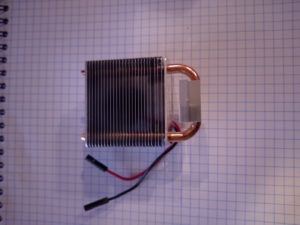
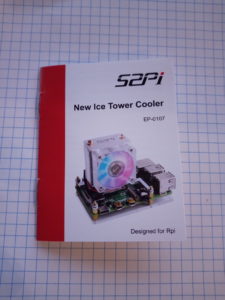
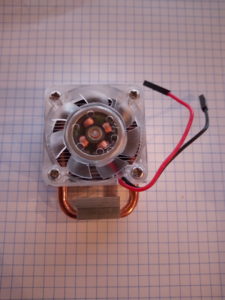
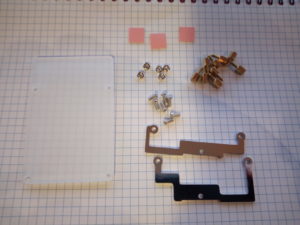
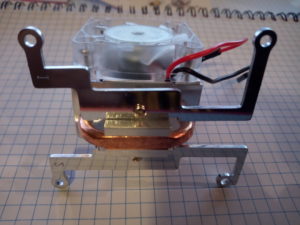
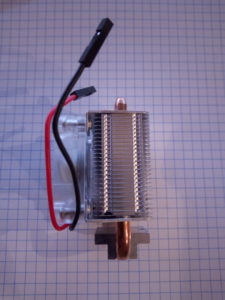
### 1/ Unboxing.

[![](https://miniordi.hacktech.dev/wp-content/uploads/2020/11/IMG_20201116_182007444-225x300.jpg)](https://miniordi.hacktech.dev/installation-du-systeme-de-refroidissement-cpu-cooling-fan-de-geeekpi/img_20201116_182007444/)
[![](https://miniordi.hacktech.dev/wp-content/uploads/2020/11/IMG_20201116_182207418-300x225.jpg)](https://miniordi.hacktech.dev/installation-du-systeme-de-refroidissement-cpu-cooling-fan-de-geeekpi/img_20201116_182207418/)
[![](https://miniordi.hacktech.dev/wp-content/uploads/2020/11/IMG_20201116_182128332-300x225.jpg)](https://miniordi.hacktech.dev/installation-du-systeme-de-refroidissement-cpu-cooling-fan-de-geeekpi/img_20201116_182128332/)
[![](https://miniordi.hacktech.dev/wp-content/uploads/2020/11/IMG_20201116_182021568-225x300.jpg)](https://miniordi.hacktech.dev/installation-du-systeme-de-refroidissement-cpu-cooling-fan-de-geeekpi/img_20201116_182021568/)
[![](https://miniordi.hacktech.dev/wp-content/uploads/2020/11/IMG_20201116_182302067-225x300.jpg)](https://miniordi.hacktech.dev/installation-du-systeme-de-refroidissement-cpu-cooling-fan-de-geeekpi/img_20201116_182302067/)
[![](https://miniordi.hacktech.dev/wp-content/uploads/2020/11/IMG_20201116_182233895-225x300.jpg)](https://miniordi.hacktech.dev/installation-du-systeme-de-refroidissement-cpu-cooling-fan-de-geeekpi/img_20201116_182233895/)
[![](https://miniordi.hacktech.dev/wp-content/uploads/2020/11/IMG_20201116_182548213-300x225.jpg)](https://miniordi.hacktech.dev/installation-du-systeme-de-refroidissement-cpu-cooling-fan-de-geeekpi/img_20201116_182548213/)

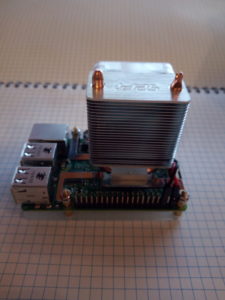
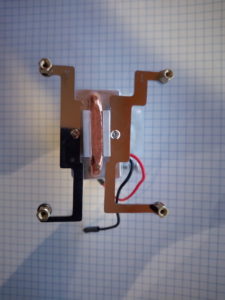
### 2/ Montage.

[![](https://miniordi.hacktech.dev/wp-content/uploads/2020/11/IMG_20201116_182946712-300x225.jpg)](https://miniordi.hacktech.dev/installation-du-systeme-de-refroidissement-cpu-cooling-fan-de-geeekpi/img_20201116_182946712/)
[![](https://miniordi.hacktech.dev/wp-content/uploads/2020/11/IMG_20201116_182648309-225x300.jpg)](https://miniordi.hacktech.dev/installation-du-systeme-de-refroidissement-cpu-cooling-fan-de-geeekpi/img_20201116_182648309/)
[![](https://miniordi.hacktech.dev/wp-content/uploads/2020/11/IMG_20201116_184130983-225x300.jpg)](https://miniordi.hacktech.dev/installation-du-systeme-de-refroidissement-cpu-cooling-fan-de-geeekpi/img_20201116_184130983/)
[![](https://miniordi.hacktech.dev/wp-content/uploads/2020/11/IMG_20201116_183129809-225x300.jpg)](https://miniordi.hacktech.dev/installation-du-systeme-de-refroidissement-cpu-cooling-fan-de-geeekpi/img_20201116_183129809/)
[![](https://miniordi.hacktech.dev/wp-content/uploads/2020/11/IMG_20201116_184146247-225x300.jpg)](https://miniordi.hacktech.dev/installation-du-systeme-de-refroidissement-cpu-cooling-fan-de-geeekpi/img_20201116_184146247/)
[![](https://miniordi.hacktech.dev/wp-content/uploads/2020/11/IMG_20201116_184149830-225x300.jpg)](https://miniordi.hacktech.dev/installation-du-systeme-de-refroidissement-cpu-cooling-fan-de-geeekpi/img_20201116_184149830/)
[![](https://miniordi.hacktech.dev/wp-content/uploads/2020/11/IMG_20201116_184140908-225x300.jpg)](https://miniordi.hacktech.dev/installation-du-systeme-de-refroidissement-cpu-cooling-fan-de-geeekpi/img_20201116_184140908/)
[![](https://miniordi.hacktech.dev/wp-content/uploads/2020/11/IMG_20201116_184223673-225x300.jpg)](https://miniordi.hacktech.dev/installation-du-systeme-de-refroidissement-cpu-cooling-fan-de-geeekpi/img_20201116_184223673/)

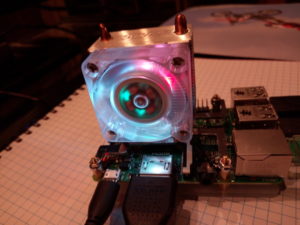
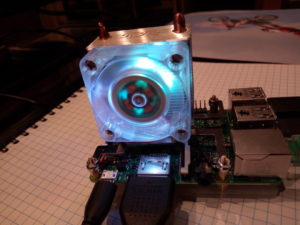
### 3/ En action !

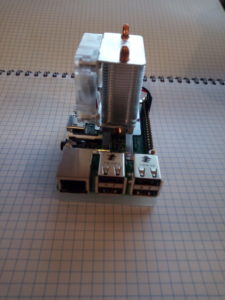
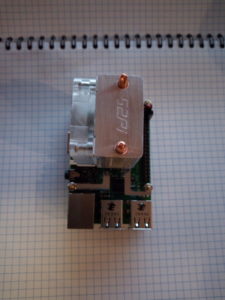
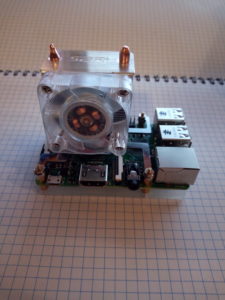
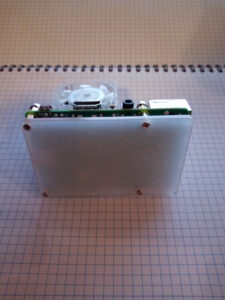
[![](https://miniordi.hacktech.dev/wp-content/uploads/2020/11/IMG_20201116_184651700-300x225.jpg)](https://miniordi.hacktech.dev/installation-du-systeme-de-refroidissement-cpu-cooling-fan-de-geeekpi/img_20201116_184651700/)
[![](https://miniordi.hacktech.dev/wp-content/uploads/2020/11/IMG_20201116_184646507-300x225.jpg)](https://miniordi.hacktech.dev/installation-du-systeme-de-refroidissement-cpu-cooling-fan-de-geeekpi/img_20201116_184646507/)

### 4/ Test : Quelques secondes après le démarrage du Raspberry Pi 3.

Lien :
<https://www.cyberciti.biz/faq/linux-find-out-raspberry-pi-gpu-and-arm-cpu-temperature-command/>
Sans ventilateur :

pi@raspberrypi:~ $ vcgencmd measure_temp temp=50.5'C


Avec ventilateur :

pi@raspberrypi:~ $ vcgencmd measure_temp temp=42.9'C


### 5/ Compilation de Zandronum.

$ make -j2


Sans ventilateur :

pi@raspberrypi:~ $ vcgencmd measure_temp temp=56.4'C

pi@raspberrypi:~ $ vcgencmd measure_temp temp=66.6'C


Avec ventilateur :

pi@raspberrypi:~ $ vcgencmd measure_temp temp=65.0'C

pi@raspberrypi:~ $ vcgencmd measure_temp temp=67.7'C


### 5/ Conclusion.

Test peu concluant, le différentiel de température n'est pas flagrant.