Démo "Second Reality" sous Raspberry Pi.
I) Installation de Dosbox : 1) Répertoire de travail :
pi@framboisepi ~ $ mkdir DOSBOX
pi@framboisepi ~ $ cd DOSBOX/
2) Téléchargement du code source :
pi@framboisepi ~/DOSBOX $ wget http://gaming.capsule-sa.co.za/downloads/fastdosbox-1.5_src.tar.gz3) Décompression de l'archive :
pi@framboisepi ~/DOSBOX $ tar xvfz fastdosbox-1.5_src.tar.gz
pi@framboisepi ~/DOSBOX $ cd fastdosbox-1.5/
4) Configuration :
pi@framboisepi ~/DOSBOX/fastdosbox-1.5 $ ./configure5) Compilation :
pi@framboisepi ~/DOSBOX/fastdosbox-1.5 $ makeErreur :
sdl_mapper.cpp:40:19: fatal error: nofun.h: Aucun fichier ou dossier de ce type
compilation terminated.
Solution : Ouvrir :
src/gui/sdl_mapper.cppChercher et supprimer :
#include "nofun.h"6) Installation :
pi@framboisepi ~/DOSBOX/fastdosbox-1.5 $ sudo make install7) Lien : http://gaming.capsule-sa.co.za/ II) Installation de la démo "Second Reality". 1) Répertoire de travail :
pi@framboisepi ~ $ cd DOSBOX/
pi@framboisepi ~/DOSBOX $ mkdir DEMOS
pi@framboisepi ~/DOSBOX $ cd DEMOS/
pi@framboisepi ~/DOSBOX/DEMOS $
2) Téléchargement du code source :
pi@framboisepi ~/DOSBOX/DEMOS $ git clone https://github.com/mtuomi/SecondReality.git
pi@framboisepi ~/DOSBOX/DEMOS $ cd SecondReality/
pi@framboisepi ~/DOSBOX/DEMOS/SecondReality $
3) Installation :
pi@framboisepi ~/DOSBOX/DEMOS/SecondReality $ cd MAIN/
pi@framboisepi ~/DOSBOX/DEMOS/SecondReality/MAIN $ mv U2.EXE DATA/SECOND.EXE
4) Lien : http://fabiensanglard.net/second_reality/ III) Configuration de Dosbox. 1) Premier lancement :
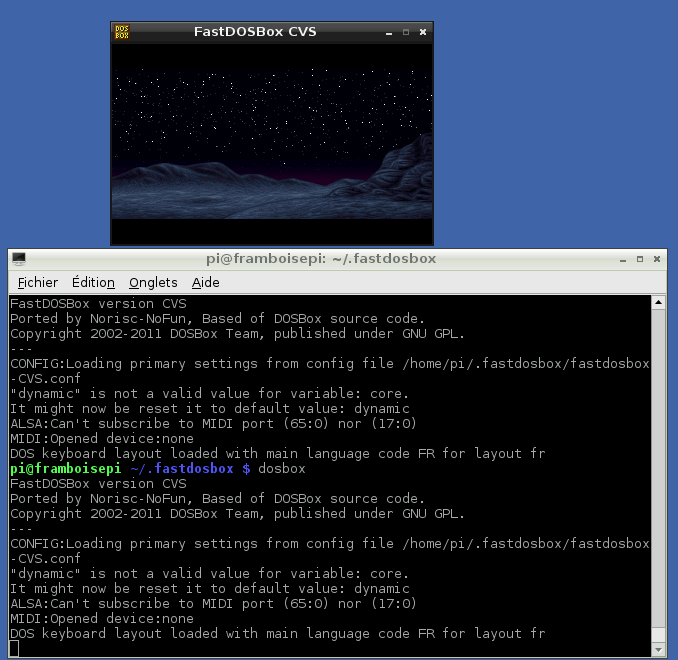
pi@framboisepi ~ $ dosboxLa fenêtre Dosbox apparait. Quitter la fenêtre : exit 2) Configuration : Ouvrir :
.fastdosbox/fastdosbox-CVS.confChercher :
cputype=Remplacer par :
cputype=pentium_slowChercher :
keyboardlayout=noneRemplacer par :
keyboardlayout=frChercher :
# You can put your MOUNT lines here.Ajouter après :
mount c /home/pi/DOSBOX/DEMOS/SecondReality
c:
keyb fr
3) Deuxième lancement :
pi@framboisepi ~ $ dosboxLa fenêtre Dosbox apparait. IV) Lancement de la demo :
C:\> cd MAIN
C:\MAIN>cd MAIN
C:\MAIN\DATA>SECOND.EXE
Attention la démo est très très lente !! O_o
 La vrai démo :
[youtube]http://www.youtube.com/watch?v=rFv7mHTf0nA[/youtube]
La vrai démo :
[youtube]http://www.youtube.com/watch?v=rFv7mHTf0nA[/youtube]