[pdf]download as a pdf fileInstallation de Raspberry Pi.[/pdf]
Distribution de travail : Debian/Ubuntu Matériels :
    - Carte Mémoire : Panasonic 16 Go Classe 10 à 20mo/s
    - Câble réseau RJ45
    - Câble vidéo HDMI vers DVI
    - Ecran avec entrée DVI
    - Clavier USB
    - Souris USB
    - Hub USB
    - Câble d'alimentation Secteur vers Micro-USB, ici, câble d'alimentation pour téléphone portable Samsung
    - Connexion Internet
    - Ecouteurs
Informations :
- Utilisateur : pi
- Mot de passe : raspberry "Raspberry Pi" commandé chez RS Component. Délai de livraison 3 semaines si indiqué : Despatch expected in 1 week(s) I) Préparation de la carte mémoire. 1) Répertoire de travail :
[~] ➔ mkdir RASPBERRYPI
[~] ➔ cd RASPBERRYPI/
[~/RASPBERRYPI] ➔
2) Télécharger RaspDebian Wheezy :
[~/RASPBERRYPI] ➔ wget http://anorien.csc.warwick.ac.uk/mirrors/raspberrypi.org/images/raspbian/2012-12-16-wheezy-raspbian/2012-12-16-wheezy-raspbian.zip
[~/RASPBERRYPI] ➔ ls -l
total 495704
-rw-r--r-- 1 lesanglier lesanglier 507098306 2012-12-16 22:00 2012-12-16-wheezy-raspbian.zip
Lien : http://downloads.raspberrypi.org/download.php?file=/images/raspbian/2012-12-16-wheezy-raspbian/2012-12-16-wheezy-raspbian.zip 3) Décompresser l'archivage :
[~/RASPBERRYPI] ➔ unzip 2012-12-16-wheezy-raspbian.zip
[~/RASPBERRYPI] ➔ ls -l *.img
-rw-r--r-- 1 lesanglier lesanglier 1939865600 2012-12-16 20:52 2012-12-16-wheezy-raspbian.img
4) Insérer la carte sd : 5) Détecter la carte mémoire :
[~/RASPBERRYPI] ➔ sudo fdisk -l
...
Disque /dev/sdd1: 16.0 Go, 16005464064 octets
255 têtes, 63 secteurs/piste, 1945 cylindres
Unités = cylindres de 16065 * 512 = 8225280 octets
Identifiant de disque : 0x00000000
Périphérique Amorce  Début        Fin      Blocs     Id  Système
/dev/sdd1               1        1946    15626240    c  W95 FAT32 (LBA)
6) Copier l'image vers la carte mémoire : Le nom du périphérique est : /dev/sdd Sans le "1"
Sans barre de progression :
[~/RASPBERRYPI] ➔ sudo dd bs=4M if=2012-12-16-wheezy-raspbian.img of=/dev/sdd
462+1 enregistrements lus
462+1 enregistrements écrits
1939865600 octets (1,9 GB) copiés, 350,754 s, 5,5 MB/s
Ou Avec une barre de progression :
[~/RASPBERRYPI] ➔ sudo su
root@station66:/home/lesanglier/RASPBERRYPI# dd if=2012-12-16-wheezy-raspbian.img | pv -s 1939865600 | dd of=/dev/sdd bs=4M
3788800+0 enregistrements lus==================================================================================================================================>  ] 99% ETA 0:00:00
3788800+0 enregistrements écrits
1939865600 octets (1,9 GB) copiés, 1378,99 s, 1,4 MB/s
1,81GO 0:22:59 [1,34MO/s] [=====================================================================================================================================>] 100%
3788800+0 enregistrements lus
3788800+0 enregistrements écrits
1939865600 octets (1,9 GB) copiés, 1382,41 s, 1,4 MB/s
7) Enlever la carte mémoire du lecteur de carte mémoire SD 8) Lien : http://lea-linux.org/documentations/Installation_de_la_carte_SD_du_Raspberry_Pi http://www.benji1000.net/tutoriel-pour-debuter-avec-le-raspberry-pi/ II) Installation RaspBerry. 1) Connecter :
- Insérer la carte mémoire dans le Raspberry Pi
- Brancher le hub usb
- Brancher le câble vidéo, l'adaptateur et l'écran
- Brancher les périphérique d'entrée : clavier et souris
- Brancher la carte réseau vers le modem connecté à Internet
- Brancher les écouteurs 2) Brancher l'alimentation :
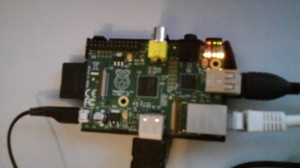
- DEL "PWR" : en rouge
- DEL "LDX" et "LNK" : en vert
- DEL "100" (Ethernert : en jaune
 3) Configuration : Raspi-config
* Touches :
3) Configuration : Raspi-config
* Touches : - Naviguation dans le menu : Flèches directionnel : monter ou descendre
- Changer d'options : Tabulation
- Cocher/décocher les cases d'option : Barre espace * Configuration :
- expand_rootfs.
- configure_keyboard
    - Keyboard model : Generic 105-key (intl) PC
        - Keyboard layout : Other
            - Country of origin for the keyboard : French
                - Keyboard layout : French
                    - Key to function as AltGr : The default for the keyboard layout
                        - Compose key : No compose key
                            - Use Control+Alt+Backspace to terminate the X server? : No
- change_local :
    - [] en_GB.UTF-8 UTF-8 : Décocher
    - [*] fr_FR ISO-8859-1 : Cocher
    - [*] fr_FR.UTF-8 UTF-8 : Cocher
    - Default locale for the system environement : fr_FR.UTF-8
- change_timezone :
    - Geographic area : Europe
        - Time zone : Paris
- ssh : Enable
- boot_behaviour : Yes
- Finish : Yes
* Le système redémarre. L'interface démarre automatiquement III) Post-installation : 1) Installation de logiciels :
- Utilitaires :
pi@raspberrypi ~ $ sudo apt-get install mc vim screen- Serveur LAMP :
pi@raspberrypi ~ $ sudo apt-get install apache2 php5 mysql-server phpmyadmin- Graphisme :
pi@raspberrypi ~ $ sudo apt-get install gimp- Bureautique :
pi@raspberrypi ~ $ sudo apt-get install abiword gnumericLien : http://domogy.fr/blog/133-raspberry-pi-utilisation-bureautique 2) Mettre une adresse ip statique : Ouvrir :
/etc/network/interfacesChercher :
iface eth0 inet dhcpRemplacer par :
#iface eth0 inet dhcpAjouter après :
iface eth0 inet static
    address 192.168.1.108
    netmask 255.255.255.0
    network 192.168.1.0
    broadcast 192.168.1.255
    gateway 192.168.1.1
Action : Redémarrer le Raspberry Pi Lien : http://www.tropfacile.net/doku.php/raspberry-pi/comment-mettre-une-ip-statique IV) Audio : 1) Téléchargement d'une chanson de test :
pi@station08 ~ $ mkdir MUSIQUES
pi@station08 ~ $ cd MUSIQUES/
pi@station08 ~/MUSIQUES $ wget http://couturierr.perso.neuf.fr/e-xtinction/Chaos%20And%20Decay.mp3
2) Vérification :
pi@station08 ~/MUSIQUES $  cat /proc/asound/cards
 0 [ALSA           ]: BRCM bcm2835 ALSbcm2835 ALSA - bcm2835 ALSA
                      bcm2835 ALSA
3) Installation de vlc :
pi@station08 ~/MUSIQUES $ sudo apt-get install vlc mpg1234) Lecture du mp3 :
pi@station08 ~/MUSIQUES $ mpg123 Chaos\ And\ Decay.mp3V) Remarques :
- S'il n'y a pas de connexion internet, la date et l'heure correspondent à la date et l'heure du dernier arrêt. VI) Liens : http://www.windtopik.fr/installation-et-configuration-de-raspbian-wheezy/ http://www.tropfacile.net/doku.php/raspberry-pi/comment-passer-votre-raspberry-en-francais