Branchement du Raspeberry Pi 1 sur un téléviseur cathodique.
Raspbian : 2017-07-05-raspbian-jessie.zip
1/ Configuration.
pi@raspberrypi:~ $ sudo raspi-config* Changer :
- Mot de passe de l'utilisateur 'pi'
- Locales
- Timezone
- Clavier
* Activer
- Ssh2/ Supprimer les paquets inutils.
pi@raspberrypi:~ $ sudo apt-get remove minecraft-pi scratch wolfram-engine sonic-pi
pi@raspberrypi:~ $ sudo apt-get autoremove
pi@raspberrypi:~ $ sudo apt-get clean
3/ Mise-à-jour du système d'exploitation.
pi@raspberrypi:~ $ sudo apt-get update
pi@raspberrypi:~ $ sudo apt-get upgrade
4/ Installation des paquets de base.
pi@raspberrypi:~ $ sudo apt-get install mc htop screen vim
5/ Configuration de l'écran cathodique/CRT.
Ouvrir :
/boot/config.txtChercher :
#sdtv_mode=2Remplacer par :
sdtv_mode=2 # Normal PALAjouter :
sdtv_aspect=1 # Format 4/36/ Capture d'écran.
[caption id="attachment_7255" align="alignnone" width="300"]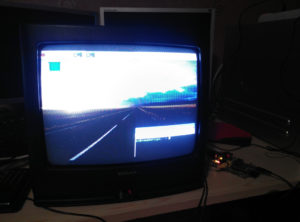 Exif_JPEG_420[/caption]
7/ Lien.
https://plomteuxkevin.wordpress.com/2013/02/24/configuration-avancee-du-raspberry/