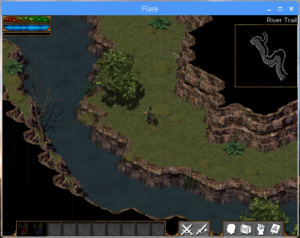
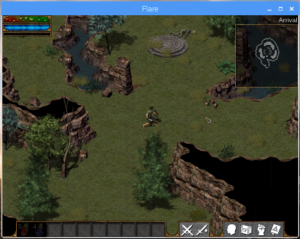
Installation du jeu en 3d isométrique : Flare.
Matériel : Raspberry Pi 3 Distribution :
Raspbian Stretch with Desktop
Version: March 2018
Release date: 2018-03-131/ Configuration matériel et logiciel du Raspberry Pi.
*Advanced Option :
- Memory Split : 128 Mo
- GL driver : GL (Full KLS)
2/ Répertoire de travail.
pi@raspberrypi:~ $ mkdir -p JEUX/FLARE
pi@raspberrypi:~ $ cd JEUX/FLARE/
pi@raspberrypi:~/JEUX/FLARE $
3/ Installation des paquets de développement.
pi@raspberrypi:~/JEUX/FLARE $ sudo apt-get install libsdl2-dev libsdl2-image-dev libsdl2-mixer-dev libsdl2-ttf-dev cmak4/ Téléchargement du code source.
pi@raspberrypi:~/JEUX/FLARE $ git clone https://github.com/clintbellanger/flare-engine.git
pi@raspberrypi:~/JEUX/FLARE $ git clone https://github.com/clintbellanger/flare-game.git
5/ Compilation.
pi@raspberrypi:~/JEUX/FLARE $ cd flare-engine/
pi@raspberrypi:~/JEUX/FLARE/flare-engine $ cmake .
pi@raspberrypi:~/JEUX/FLARE/flare-engine $ make
6/ Post-configuration.
pi@raspberrypi:~/JEUX/FLARE/flare-engine $ cd ../flare-game/mods/
pi@raspberrypi:~/JEUX/FLARE/flare-game/mods $ ln -s ../../flare-engine/mods/default/
pi@raspberrypi:~/JEUX/FLARE/flare-game/mods $ cd ..
pi@raspberrypi:~/JEUX/FLARE/flare-game $ ln -s ../flare-engine/flare
7/ Lancement.
pi@raspberrypi:~/JEUX/FLARE/flare-game $ ./flare8/ Captures d'écran.